Design a van sales workflow that can be reconciled
Define stock custody, payment routes and exception handling before implementing van sales software. Includes a Funa demonstration and test checklist.
 Altsoft Editorial TeamBusiness systems & implementation
Van sales software touches warehouse stock, field activity, customer balances and money handling. Implementing it as a mobile sales screen alone leaves the difficult part unresolved: explaining the trip when the representative returns.
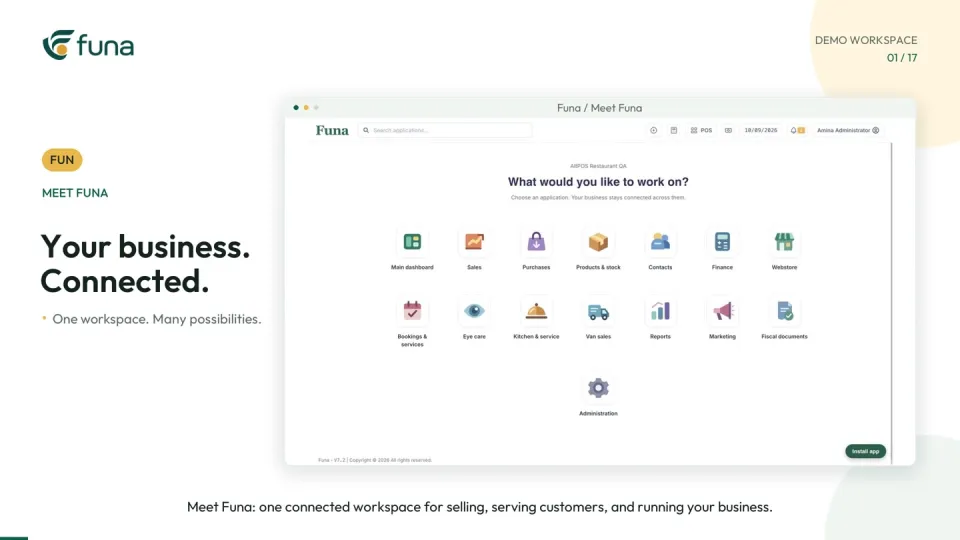
A useful design starts at settlement and works backwards. Decide what the office must reconcile, then make sure each earlier handover creates the records needed for that review. The accompanying Funa Van Sales demonstration illustrates the complete route from loading to settlement.
Define custody at the warehouse
Document when stock leaves warehouse responsibility and becomes the representative's accepted load. Agree who prepares the load, who checks it and how a difference is recorded before departure. A shared record should describe an actual handover, not merely a planned quantity.
Test the units used by the warehouse and field team. If one person counts cases and another sells individual units, the representation must be understood before any opening load is approved.
Separate sales from collections
A visit may create a new sale, receive money for an older balance or do both. Define how each event will be identified and reviewed. Confirm how the representative finds the correct customer and how duplicate customer records will be prevented or resolved.
Use a test customer with an existing balance and a new transaction. Ask the office team to explain the result from the records, without relying on the representative's memory. This reveals whether the workflow communicates what the business actually needs.
Choose the money-handling route
Businesses differ in whether representatives deposit funds, hand money to the office, return cash at settlement or ask customers to pay the business directly. Agree the authorised routes and who reviews evidence for each one.
The Funa demonstration presents those options as configurable workflows. Do not interpret the presence of a deposit record as confirmation that money has arrived or been reconciled. Define the review and confirmation responsibilities separately.
Plan for changes during the trip
Routes change and stock may move between vans. Decide how both sides acknowledge a transfer, what happens if quantities differ and who can approve a correction. Include the movement in the settlement test.
Also discuss device and connection interruptions. Ask for the supported behaviour of the selected setup and rehearse recovery. Do not infer offline capability or automatic conflict resolution from a mobile interface alone.
Write acceptance checks around reconciliation
- The accepted load can be traced to the warehouse handover.
- Sales and payments belong to identifiable customers.
- Collections against earlier balances remain understandable.
- Transfers have a clear record on the relevant trips.
- Physical stock and money reviews identify unresolved differences.
- Every exception has an owner and a documented next action.
Use a small fictional route that includes a normal sale, an outstanding payment, a collection and a stock transfer. Reconcile the route with the office team. A perfect demonstration with no exceptions may be less informative than a realistic test with one difference to investigate.
Introduce the process in a controlled phase
Start with a bounded route or team and an agreed support contact. Review the first settlements together. Look for informal notes or adjustments that indicate a missing rule, unclear permission or training issue.
Expand after the team can explain the trip from its records. The video uses fictional data, and modules depend on plan and configuration. Altsoft can help translate loading, collection and settlement procedures into a testable implementation scope, keeping reconciliation at the centre of the design.
Continue the series
Implement salon bookings around real service rules
For the product-focused walkthrough, read Close the loop on every van sales trip.
Put these ideas to work.
Talk through your workflow with an Altsoft specialist and decide on your next step.