Prepare pharmacy inventory data before a system move
A practical guide to preparing pharmacy product, batch and opening-stock records for migration, with checks, ownership and a Funa demo.
 Altsoft Editorial TeamBusiness systems & implementation
A pharmacy inventory migration can look complete because every row was imported, while still leaving staff with unclear units, duplicate products or unreliable batch quantities. The important question is not how many records moved. It is whether the team can trust and maintain the new opening position.
This is an operational data-preparation guide, not clinical, legal or regulatory advice. Professional dispensing procedures and applicable requirements need separate review. Use fictional examples when testing software or sharing screenshots with an implementation team.
Agree the catalogue structure first
Review how products are named and identified. Confirm the stock code, variant and unit used for each entry. Where different pack sizes exist, document how the business represents them and test that interpretation with staff who receive and sell stock.
Resolve duplicate or ambiguous entries before loading quantities. Keep a mapping from the old record to the approved new record so the team can explain what changed. Do not silently merge items just because their names look similar.
Separate product data from batch data
A product description and a batch record answer different questions. The product identifies what is stocked; the batch identifies a particular group of that stock and its associated information. Prepare the relevant batch references, expiry dates and remaining quantities deliberately.
Check a sample against physical stock and source records under the pharmacy's established procedures. A spreadsheet can contain a plausible-looking date without it being correct. Assign a responsible reviewer for differences rather than converting uncertain values into apparently confirmed data.
Set a clear opening-stock boundary
Agree when the opening position is measured and which transactions belong before or after that point. Record how movements during the changeover will be handled. Without that boundary, a legitimate sale can appear as an unexplained stock difference.
Keep the approved source file and a record of the checks. Reconcile representative products by unit and batch, not only by a grand total. A matching overall quantity can hide quantities allocated to the wrong records.
Rehearse the receiving-to-counter journey
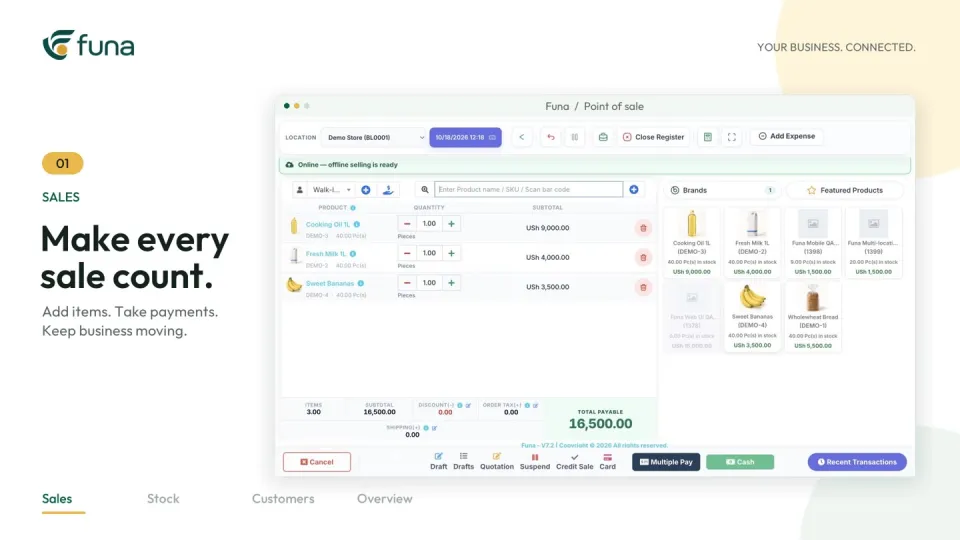
The Funa demonstration linked below shows product records, batch and expiry visibility, counter checkout and receipts. Use those steps as a starting point for your own test, with the selected plan and configuration confirmed separately.
- Can staff find the intended product without guessing between duplicates?
- Does the relevant batch appear with credible information?
- Can the counter team review quantity, price and payment correctly?
- Does the resulting record connect back to the stock review?
- Can an authorised person explain and resolve an exception?
Test the intended user roles. A demonstration performed only with broad administrator access may hide permissions that need attention before launch.
Limit unnecessary personal data
Do not move sensitive customer or patient information simply because it exists in an old export. Establish the purpose, access requirements and handling process with the responsible people. Use fictional details for training and implementation screenshots.
Software permissions are part of the setup, not a substitute for the organisation's privacy obligations or professional judgement. Keep those decisions explicit and reviewed by the appropriate people.
Make ownership continue after launch
Assign responsibility for new product records, batch corrections, opening-stock queries and regular exception reviews. Agree where staff should report a suspected data issue and how they will learn that it has been resolved.
Altsoft can help structure the migration and acceptance checks around your operational requirements. The useful outcome is not just an imported catalogue: it is a documented opening position, a team that understands it and a process for keeping the records dependable.
Continue the series
Design a van sales workflow that can be reconciled
For the product-focused walkthrough, read Better pharmacy stock records, one batch at a time.
Put these ideas to work.
Talk through your workflow with an Altsoft specialist and decide on your next step.